The NEURON Simulator
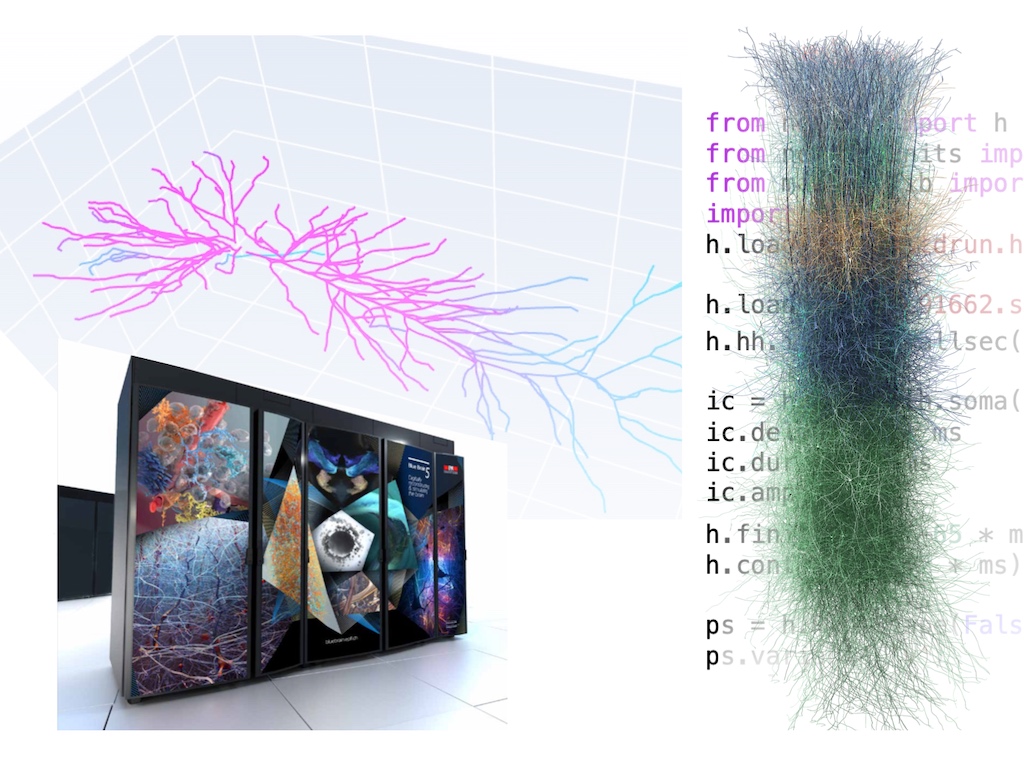
NEURON is the world’s most widely used simulator for biophysically detailed models of neurons and networks. It runs efficiently on your laptop, in the cloud, or on HPC clusters with GPU acceleration. Build and simulate models using Python, HOC, or NEURON’s graphical interface.
Work through hands-on Python tutorials that build from a single cell to a complete network model.
Conceptual guides on cells, biophysics, units, networks, randomness, and the GUI tools.
Complete programmer’s reference for Python and HOC: classes, functions, simulation control, and more.
Ask questions, share models, and connect with the NEURON community on the Discussion Board.
Quick Start
from neuron import n
from neuron.units import mV, ms

# Create a cell
soma = n.Section(name="soma")
soma.L = soma.diam = 20    # µm
soma.insert(n.hh)          # Hodgkin–Huxley channels

# Stimulate
stim = n.IClamp(soma(0.5))
stim.delay, stim.dur, stim.amp = 2 * ms, 0.1 * ms, 0.9  # nA

# Record
v = n.Vector().record(soma(0.5)._ref_v)
t = n.Vector().record(n._ref_t)

# Run
n.load_file("stdrun.hoc")
n.finitialize(-65 * mV)
n.continuerun(10 * ms)

# Plot (requires matplotlib)
import matplotlib.pyplot as plt
plt.plot(t, v)
plt.xlabel("Time (ms)")
plt.ylabel("Voltage (mV)")
plt.show()
For a step-by-step walkthrough, start with the Ball-and-Stick tutorial.
Key Concepts
If you are new to NEURON, the following concepts will help you get oriented:
NEURON models neurons as branching cable structures. A Section is an unbranched length of cable (e.g. a soma, dendrite, or axon segment). Each Section is divided into segments for numerical accuracy.
Biophysics are added to sections via mechanisms — either built-in
(hh, pas) or user-defined via NMODL. Mechanisms set conductances,
ion channel kinetics, and pumps.
Inject current with IClamp, apply voltage clamps with SEClamp,
or drive synapses with NetStim. Record any variable with
Vector.record().
Connect cells with NetCon objects that link a source (e.g. spike
threshold crossing) to a target synapse with a weight and delay.
Use ParallelContext for distributed simulation.
Model intracellular and extracellular chemistry — calcium dynamics, IP3 signaling, buffering, and more — using NEURON’s built-in reaction-diffusion framework.
NEURON uses specific default units: time in ms, voltage in mV,
current in nA, length in µm, and conductance in S/cm².
The neuron.units module makes unit conversions explicit.
Installation
The recommended installation is to open a Terminal (Press ⌘ + Space and type “terminal”) and type:
pip3 install neuron
Alternatively, you can use the PKG installer.
For troubleshooting, see the detailed installation instructions.
The recommended installation is to open a terminal and type:
pip3 install neuron
For troubleshooting, see the detailed installation instructions.
Download the Windows Installer.
You can also install the Linux wheel via the Windows Subsystem for Linux (WSL). See instructions.
For troubleshooting, see the detailed installation instructions.
On Google Colab and many other cloud Jupyter providers, you can install NEURON via
!pip install neuron
NEURON is already installed on The Neuroscience Gateway and on EBRAINS.
View and suggest changes to the source code at: github.com/neuronsimulator/nrn
For instructions on how to build from source, go here.
Learning Resources
Watch recorded NEURON courses covering everything from the basics to advanced network modeling and parallel simulation.
Hands-on exercises from the NEURON summer course: GUI tools, morphometric data, scripting, and more.
Learn to model intracellular signaling, calcium waves, and extracellular diffusion with reaction-diffusion.
Explore the source code for over 850 published NEURON models across a wide range of neuroscience topics.
Optimized compute engine for large-scale network simulations on modern CPU and GPU architectures.
Extend NEURON with custom ion channels, synapses, and other mechanisms using the NMODL description language.
About NEURON >= 9.0
If you are experiencing compilation errors while using nrnivmodl with NEURON >= 9.0,
but not with previous 8.x releases, please see Adapting MOD files for C++ with NEURON >= 9.0.
We have provided comprehensive instructions for adapting legacy MOD files that include VERBATIM blocks,
or you might find already updated MOD files in the ModelDB GitHub repositories.